
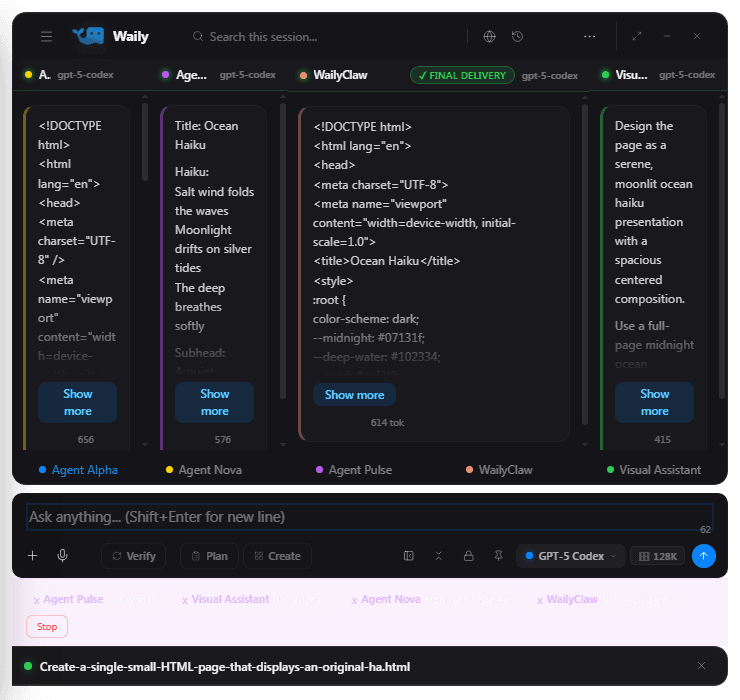
Agents that work side by side.
Up to four agents answer in parallel columns. Compare their takes, let them refine each other, keep the best.
Waily runs a team of agents over GPT-5 Codex, Gemini, Claude and local models, and hands you finished files.
Type what you want built. Waily plans the work, assigns specialist agents, and attaches the deliverable when they are done.
Up to four agents answer in parallel columns. Compare their takes, let them refine each other, keep the best.
Sign in with the ChatGPT, Gemini or Claude account you already pay for, paste an API key, or run models fully offline.
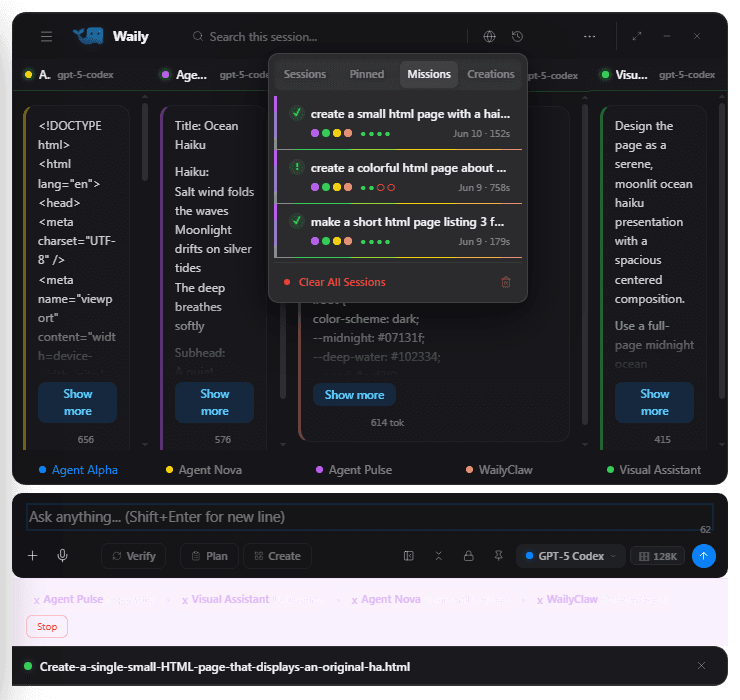
Missions and chats persist across restarts. Reopen any past mission and replay it straight back into the columns.
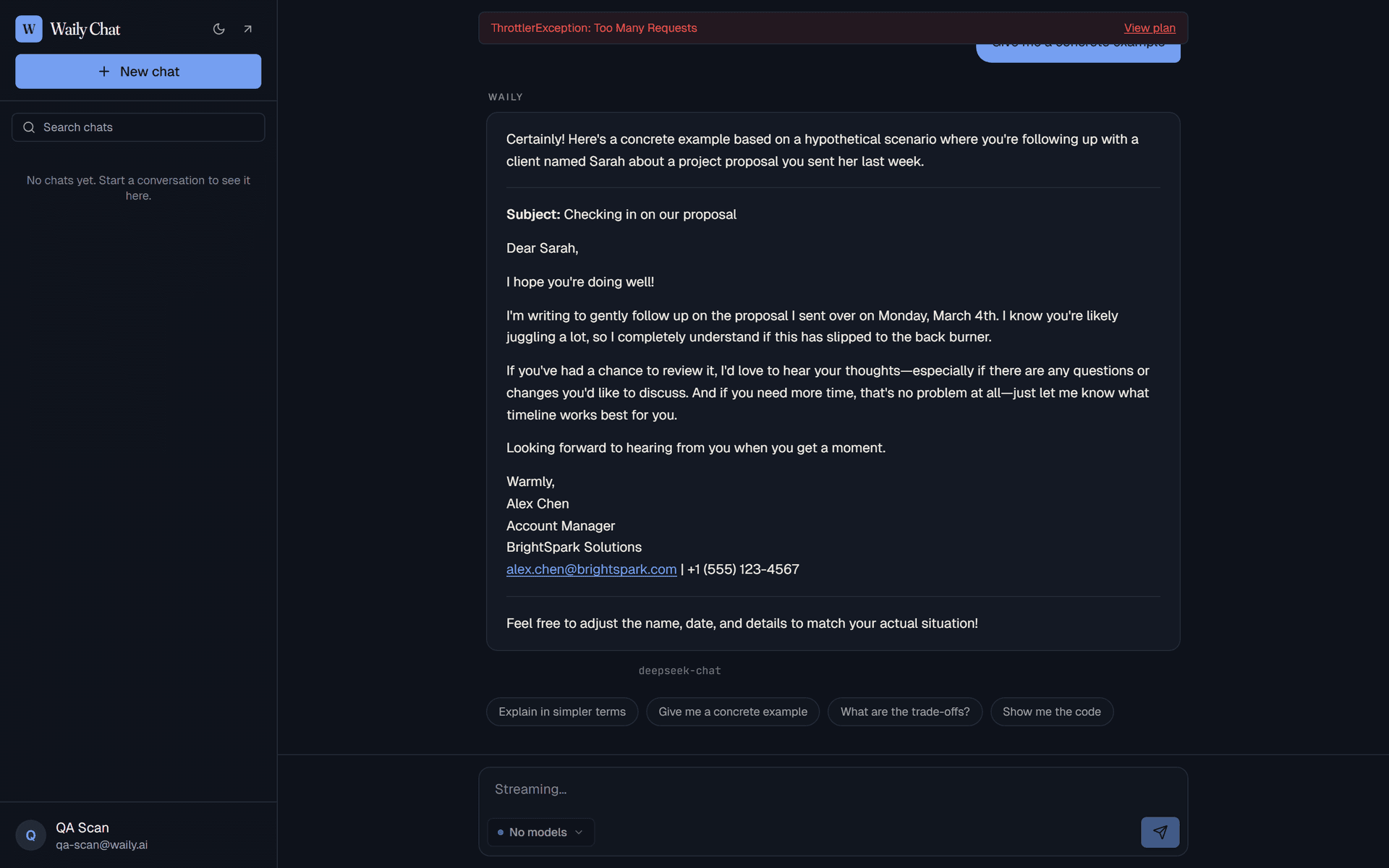
Same account, same history at chat.waily.ai when you are away from your machine.
Run the Windows installer. The app appears as a floating overlay and keeps itself updated from then on.
Sign in with the ChatGPT, Gemini or Claude account you already have, paste an API key, or download a local model and stay fully offline.
Describe the outcome you want. Waily plans the tasks, runs its specialist agents in parallel, and attaches the finished file when they are done.
Choose the native installer for your computer. Windows keeps itself current in the background. Mac preview updates are manual, so return to this page to download a new preview when one is available.
Unsigned Mac Preview
Testing only. This build is not Apple signed, so macOS will ask you to confirm it manually.
v4.0.202 · 329 MB
v4.0.202 · 349 MB
Windows 10/11, 64-bit. Unsigned macOS testing preview for Apple silicon and Intel. Linux is not available yet.
Install once
Run the installer and Waily appears as a floating overlay you can summon over any app.
Windows updates itself
New Windows versions arrive automatically. A small banner offers a restart when one is ready. For a newer Mac preview, return to this page and download it manually.
Token limits are hard caps that reset on the 1st of each UTC month, and failed requests never count toward usage. Upgrades apply right after checkout; downgrades take effect at the end of the billing period.
Everything runs on your own accounts, keys, and local models.
Adds Waily-cloud tokens, so chat works with no keys or setup.
Five times the Pro allowance, for heavy daily use.
Prices in USD, billed monthly through Stripe. Cancel anytime from your account.
A desktop app where a team of AI agents plans your request, works it in parallel, and hands you the finished file, plus a browser chat on the same account.
Sign in with accounts you already pay for (ChatGPT via the bundled Codex CLI, Google Gemini, Claude), paste API keys for OpenAI, Anthropic, Gemini, DeepSeek and more, or download a local model and run completely offline. Waily routes around whichever provider is busy so missions finish.
The Windows app checks for a new version on launch and downloads it in the background. The unsigned Mac preview does not update automatically. Return to this page and download a new preview when one is available.
Hard caps. When you hit your monthly allowance the API returns an error instead of silently overcharging you. Limits reset on the 1st of each UTC month. Errors don't count toward your usage.
An unsigned macOS testing preview is available now. It is not Apple signed and is intended for testing, not production use. Updates require a manual re-download from this page. A signed and notarized production Mac build will replace it after Apple developer setup is complete. Linux is not available yet. The browser chat at chat.waily.ai works everywhere.
Desktop chats, missions and local models stay on your machine. Web-chat conversations are stored on Waily's servers, scoped to your account, encrypted at rest, and never sold or shared. You can delete a chat or your whole account at any time.
Free to install. Bring the AI accounts you already have.